





iOS 26: 5 hidden features iPhone users must know about
Apple’s iOS 26 update brings subtle but useful features beyond the headline additions. These include name recognition, spam filtering, and an AirPods camera remote that improves daily iPhone usage.

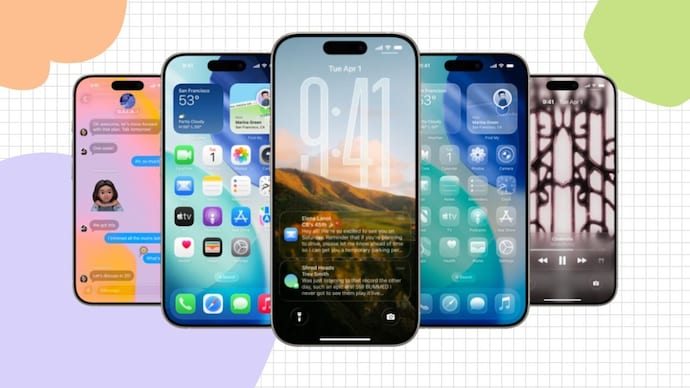


Apple’s iOS 26 arrived in September, barely a week after the company unveiled the iPhone 17 lineup and the flashy new iPhone Air (Review). As always, the highlight went to key features like the liquid glass design and smart call screening. But behind the shiny interface, Apple quietly hid some clever tools that can make your iPhone feel brand new again. If you’ve already upgraded, chances are you’ve only scratched the surface.
Beyond Live Translation and Hold Assist, iOS 26 is hiding features that can really make everyday tasks easier, from filtering spam to turning your AirPods into a camera remote. Here are five features worth exploring right now.
The iPhone that knows your name
Have you ever missed someone calling your name in a busy place? iOS 26 introduced a feature called Name Recognition, which listens for your name and alerts you when it hears it. This is especially useful for people who struggle to pick up on verbal cues or just like an extra layer of awareness.
You can turn it on by going to Settings > Accessibility > Voice & Name Recognition > Name Recognition. Type in your name, check how your iPhone pronounces it, or record your own version. When activated, a small orange indicator shows that your device is listening. You can add multiple names, change the pronunciation, or disable the feature whenever you want.
Folders that show their true colors
Your Files app just got a splash of color. With iOS 26, Apple finally lets users customize folders with colors, icons, or even emojis, making it much easier to tell work documents from personal documents at a glance.
Simply press and hold a folder, choose Customize Folder & Tags, then choose a color and symbol. The new look automatically syncs across your iPhone, iPad, and Mac. If you ever get tired of the rainbow, switching back to the default blue color is just a tap away.
say goodbye to spam
Spam messages and robocalls have long been the bane of smartphone users. With iOS 26, Apple takes filtering to the next level. The update can now screen unknown callers and filter out suspicious texts, quietly placing them in a separate list so they no longer clog your main inbox or call log.
To enable it, open Settings > Apps. Under Messages, turn on Filter spam and Screen unknown senders. Then under Phone, switch to Spam and screen unknown callers. Only your known contacts will have access, while everything else will remain out of sight and out of earshot.


never forget to call again
Everyone forgets to answer a call from time to time. iOS 26’s new Call Back reminder fixes this. In the Phone app, swipe left on a missed call and tap the clock icon. You can choose a preset reminder time or create your own. The reminder appears above your Recents list and syncs with the Reminders app. Once you’ve made a call, mark it as complete.
It’s a small but surprisingly useful addition, especially for those who keep busy schedules.
AirPods also work as a camera remote
The magic of Apple’s ecosystem continues with this one as well. iOS 26 allows some AirPods models to act as a remote shutter for your iPhone camera. After pairing, go to Settings > AirPods > Camera Remote and assign a press action. Next time you’re taking a group photo, you can simply press your AirPods stem to capture the moment, no need to move into the frame after setting the timer.
Apple may have promoted big flashy features in iOS 26, but these subtle upgrades show how much consideration has been given to the user experience. They’re the kind of smart, quietly powerful devices that make the iPhone more personal and a little more fun without you even realizing it.