





How to Turn Your Selfie into a Christmas AI Portrait with GPT Image 1.5 and Nano Banana Pro
With Christmas approaching, now is the perfect time to create festive-themed illustrations with AI. Here’s how you can use Gemini Nano Banana Pro and ChatGPT Images to turn your selfie into a Christmas AI portrait.

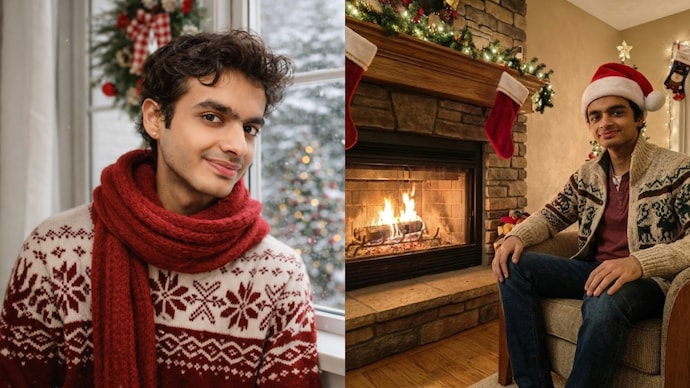


Christmas is around the corner and the holiday season is about to begin. If you’re feeling the festive mood and want to use this time as a way to express your creativity, you can use AI to create some impressive Christmas images.
Recently, Google launched Nano Banana Pro, doubling down on the popular Nano Banana AI imaging model with improved accuracy and generation. OpenAI is also not behind. The Sam Altman-led startup updated ChatGPT Images while improving its own image-generation model. If you want to turn your selfie into a Christmas portrait, you can use any of these tools.
Do I need technical skills to create a Christmas AI portrait?
No, creating portraits with AI does not require specific technical skills. Rather, the process is actually quite simple – you just need access to the latest AI models and know the right prompts to achieve the desired result – in this case, a Christmas AI portrait.
How do I turn my selfie into a Christmas AI portrait?
If you want to turn our selfie into a Christmas AI portrait, there are a few different styles you can try. First, you need to select the tool you want, such as Google’s Nano Banana Pro or OpenAI’s ChatGPT Image.
No matter which device you choose, the manufacturing process remains the same. You need to upload the selfie you want to turn into a Christmas portrait. Once added, all you need to do is indicate how you want the image to look.


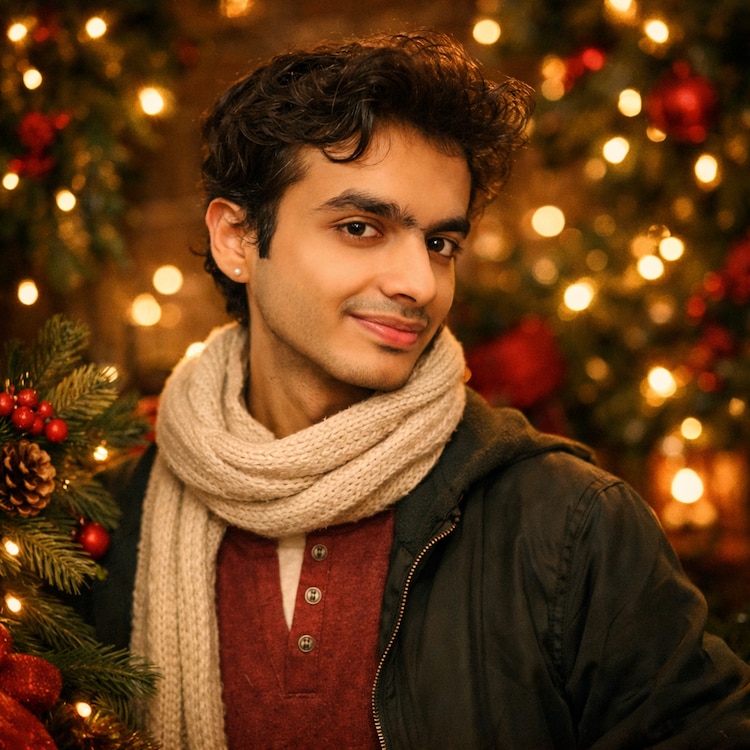
For example, the prompt – “Transform the uploaded photo into a warm, polished holiday portrait. Keep the person’s real face, skin tone, expression and features exactly the same. Restyle them in soft holiday lighting with light golden highlights. Surround them with festive elements like evergreen branches, warm twinkling lights and a subtle Bokeh glow. Add deep reds, forest greens and cozy textures reminiscent of classic holiday cards. The final image Should feel elegant, warm and timeless – not cartoonish,” – gave us this image:

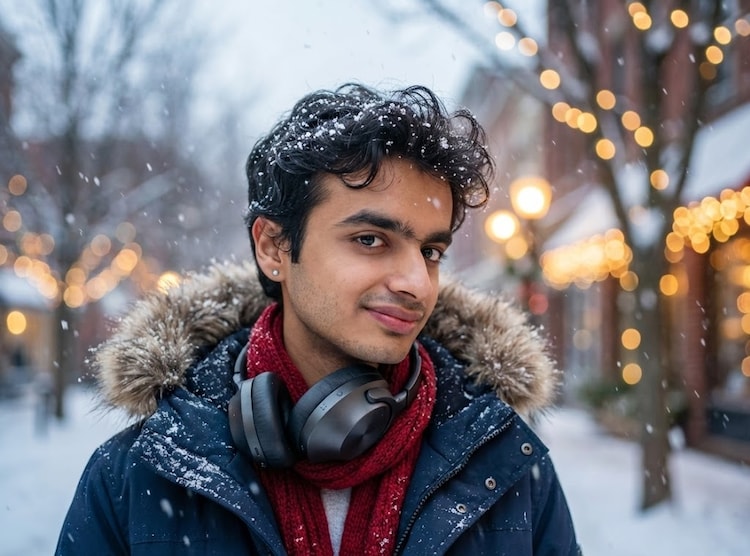
You can use your imagination and be creative by using different prompts. We tried the prompt – “Turn a selfie into a snowy Christmas portrait, ensuring that the basic facial features, skin texture and identity remain exactly the same. Show the man or woman wearing a winter coat and scarf outside during a light snowfall. Soft festive lights twinkle in the background. Realistic snowflakes, cool winter colors balanced with warm light, cinematic Christmas atmosphere,” and this was the result:

What type of selfies work best for AI portrait creation?
Ideally, make sure your face is clearly visible in the image. This will ensure that the AI is able to capture details about your facial features, giving you a detailed Christmas picture without changing your face. However you should remember to mention that the AI needs to maintain the original facial features in the signal you give it.