



Tired of AI in search? DuckDuckGo browser may provide some relief
Google’s AI overviews are now a regular part of search, but not everyone is enjoying the chatbot-style summary at the top. If you too miss the old link-first internet search experience, you can try the DuckDuckGo browser. How here.
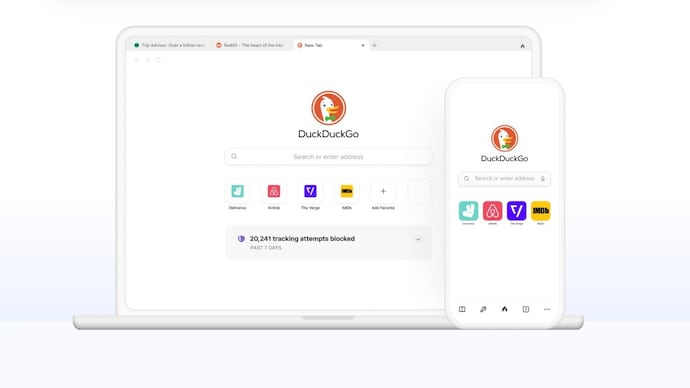

Google is aggressively pushing AI in search. outcome? AI overviews, AI-generated summaries and machine-written answers appear on top of questions, even before you reach the actual websites. While some users find this convenient, others find the experience cluttered and difficult to navigate. If you are also among those who only want traditional search results, you can try the DuckDuckGo browser.
❮❯
The browser is currently gaining popularity among users who want to experience the old Internet search experience, without AI summaries on the page.
You see, in 2024, Google Search expanded its AI Overview feature globally. As part of this change, instead of just showing links, Google now often generates an AI summary at the top of search results. The feature is designed to answer questions quickly, but it has also faced criticism for inaccurate results and the lack of a clear, permanent option to disable AI overviews.
Although Google offers a “Web” filter that shows only links, it is not set as the default and must be manually selected each time. However, with DuckDuckGo, the browser still provides search results in a more traditional format. The Platform does not personalize results based on user tracking.
The DuckDuckGo browser is available on desktop and mobile platforms, and includes built-in tracker blocking and private search by default. So, if you’re looking for a more private browsing option and are frustrated with the AI-heavy search layout, here’s how you can try it.
How to Use DuckDuckGo and Avoid AI Summarization
Getting Started:
– Visit duckduckgo.com in your existing browser.
– Change your default search engine setting to DuckDuckGo in Chrome, Safari, Firefox, or Edge.
– Alternatively, you can download the DuckDuckGo browser app on Android, iOS, Windows or macOS and set it as the default.
– Once set up, your searches will go through DuckDuckGo’s results page, which doesn’t automatically generate AI overviews like Google does.

In the meantime, if you prefer to stick with Google but want to skip AI summaries, you can try this:
– Select “Web” filter after searching to show only links.
– Or, you can add “-ai” to the end of your query (although this is inconsistent and may not always work). You’ll still see a knowledge graph instead in some cases.