



The headline feature that Apple unveiled today at its Worldwide Developers Conference is undoubtedly Siri AI, but the company also revealed some other Apple Intelligence features that are coming to iOS 27, iPadOS 27, macOS 27, watchOS 27, and VisionOS 27.
Apple says the Photos app now “taps into a more powerful image model” that lets you make edits, “while respecting the original moment captured.” With spatial reframing, you can touch and drag a photo and preview a perspective shift in real time, thanks to “Apple’s deep understanding of the spatial model” on the Vision Pro headset.
Basically, you can ‘edit’ a picture as if you’ve reset the camera to the original scene. Spatial reframing will generate new content only where the perspective has been shifted, thus ensuring that the photo remains consistent with the original scene. You can also expand images with the Extend tool – straightening crooked horizons without cropping anything important, or adjusting the aspect ratio.
The Clean Up tool has received a major upgrade, and Apple now promises that it will remove distractions from your photos “with better quality and more realistic infill,” even for complex scenes.
Safari is also getting a ton of AI enhancements. It can automatically organize your tabs into relevant topics. As you browse, it will insert new tabs into existing topics or create new tabs as needed. You can also ask Safari to monitor a web page for changes with the new Notify Me feature, and it will let you know when a change is detected. For example, this helps keep track of restocks and price drops.
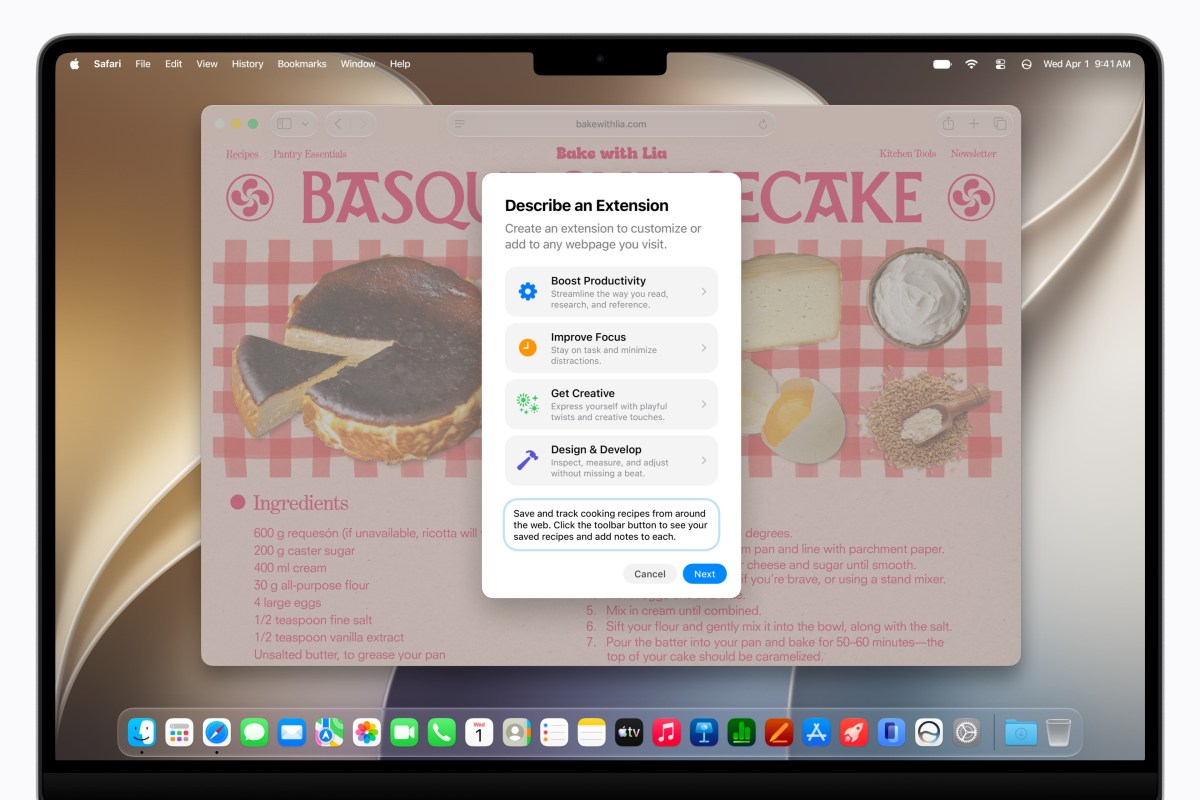
Describe an Extension is a new AI feature that lets you do just that – describe a Safari extension you’d like to have available, and Safari will generate a custom extension in the toolbar for you.
Password can now automatically recover your weak and compromised passwords with a single tap, take action “agentically using Apple Intelligence and Safari” on your behalf, navigate through websites to sign in, and change your passwords to stronger passwords that it then remembers for you.
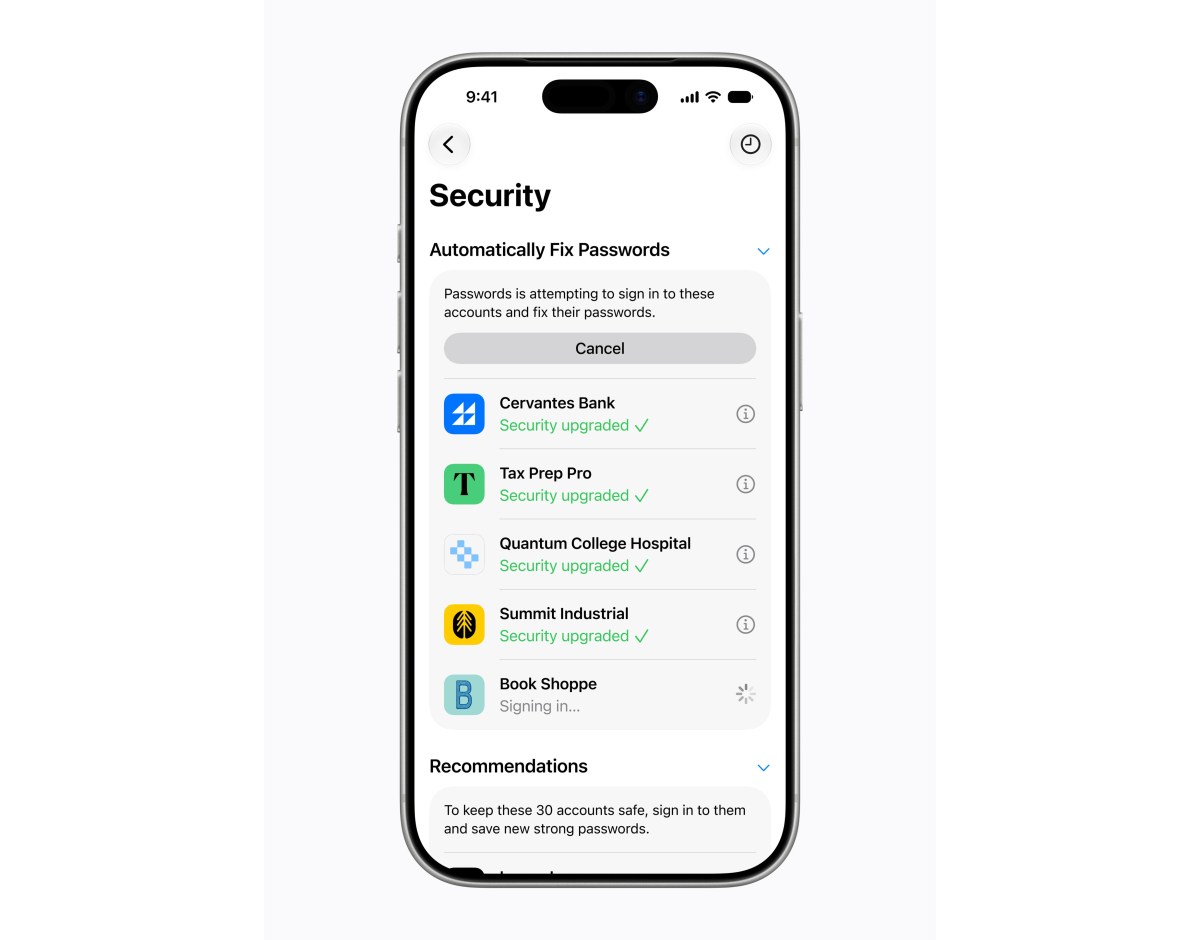
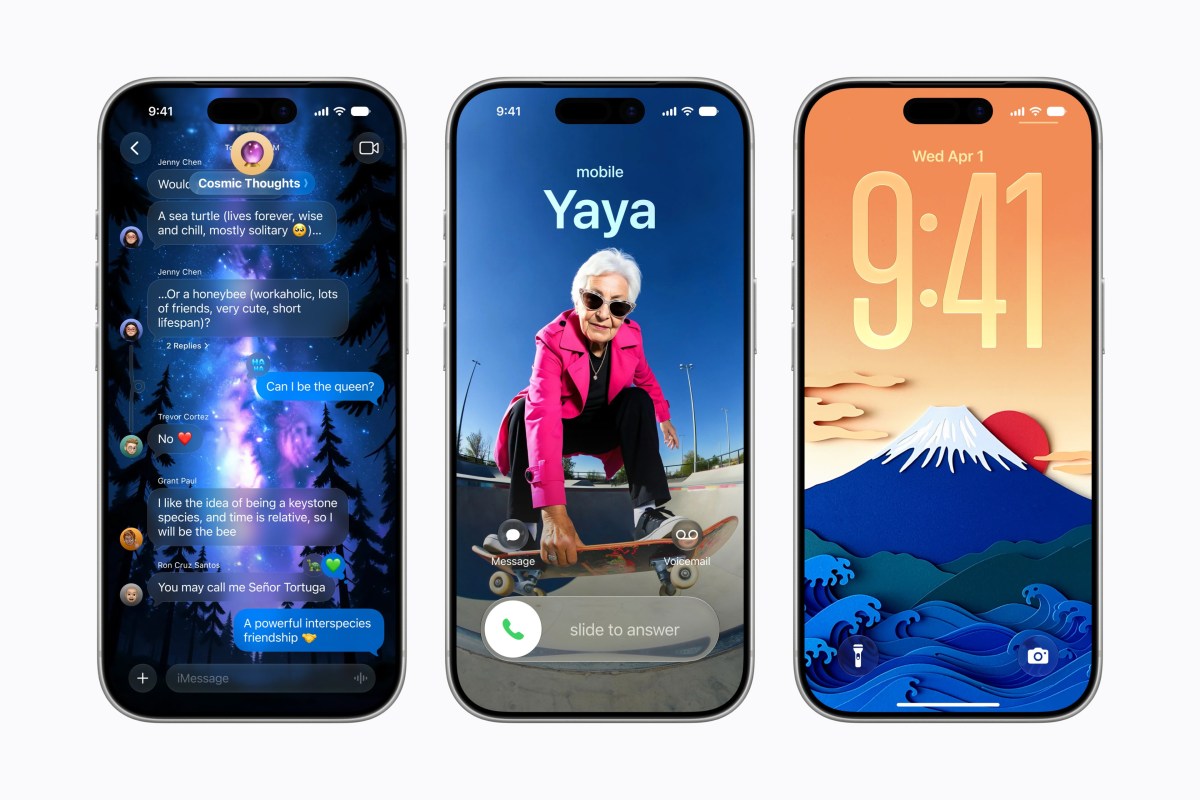
Image Playground now lets you create “high-quality images in virtually any style”, including photorealistic, thanks to a new generator model running on Apple’s private cloud compute, which ensures that your private data remains private and no one, not even Apple, can access it. Image Playground also lets you easily edit images with gestures or by tapping, circling, or brushing to highlight an object to move or resize it.
Image Playground can also generate lock screen wallpapers and contact posters, and when you create an image you can choose its aspect ratio so that it’s fit for purpose.
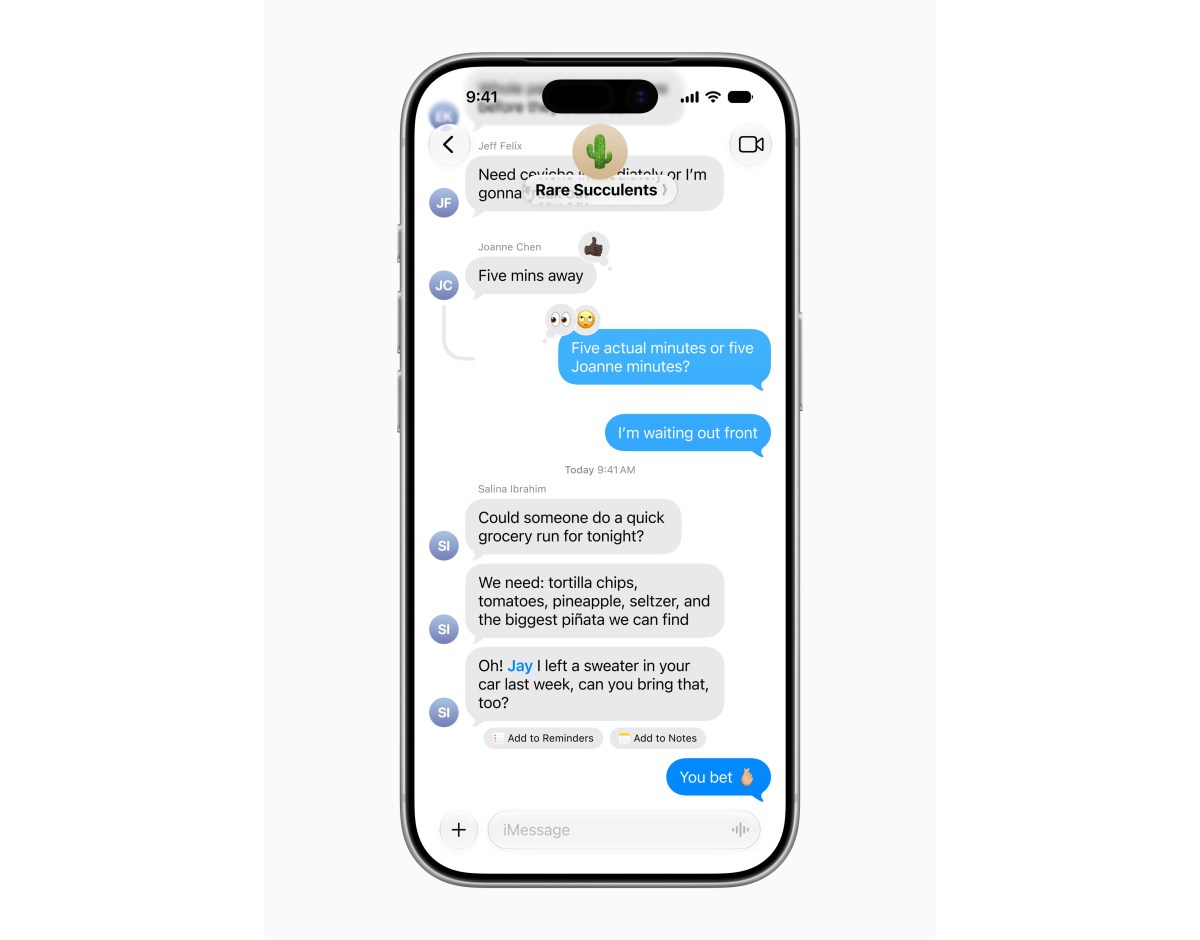
The Messages app offers one-tap suggestions based on the context of your conversation — think creating a reminder or a note. Or if someone asks you for a photo, it can help you find the right photo by recognizing keywords, places, and people in your library. Suggestions in Mail are now even more capable as they have gained the ability to take actions with third-party apps, and Smart Replies in Mail and Messages are now based on your personal writing style.

When you call a business, call context provides relevant information about that business – like a confirmation code or reservation number. This appears directly in the phone app. Call context works based on who you’re calling, not what you’re saying, and runs entirely on the device, so nothing is shared with Apple or anyone else.

Describe a shortcut that lets you use the powerful Shortcut Automation app by simply telling it what you want. It will take all the necessary steps on your behalf. If you want to change or add something, you can describe the change, and it will be implemented.
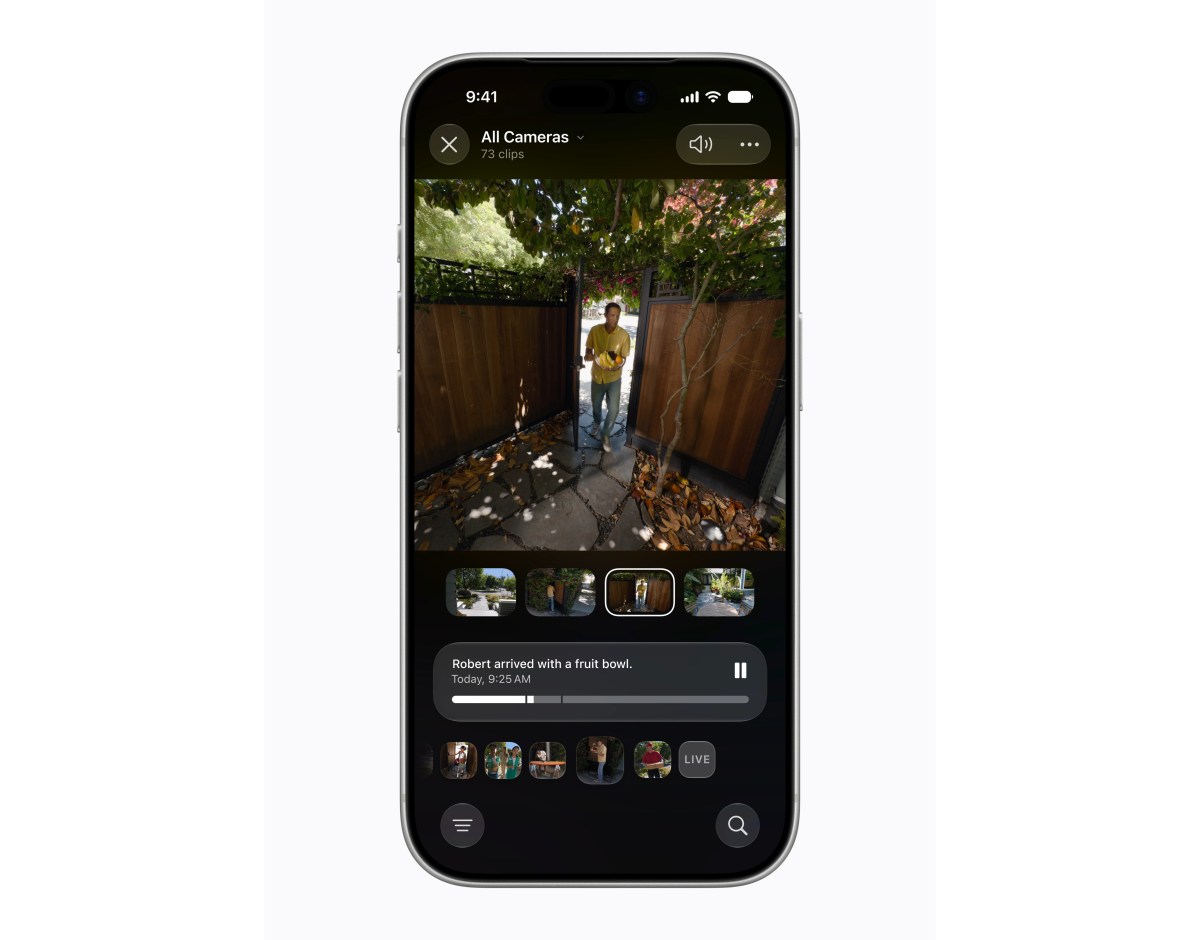
The Home app receives generated video details, letting you instantly understand what happened in a sequence of video clips from your smart home device without even looking at it. You’re also able to search through camera clips to find specific things like package delivery for example. At the top of the search page, the app will have “Notable Clips” you might want to review.
Voice Control, which lets you navigate your iPhone or iPad entirely by voice, is more intuitive, letting you simply describe on-screen buttons and controls rather than having to “remember the exact labels or numbers.” Accessibility Reader can provide on-demand summaries and translations.
You can also get intelligent suggestions for the names of files and folders based on their content, and the Zenmoji quality is “even better.” You can describe the changes you want to make to Genmoji.
Apple Intelligence is available on iPhone 16 and later, iPhone 15 Pro, iPhone 15 Pro Max, iPad Mini (A17 Pro), M1 or later iPad models, MacBook Neo, M1 or later Macs, Vision Pro, Apple Watch Series 10 or later, Apple Watch Ultra 2 or later, and Apple Watch SE 3 when paired with an Apple Intelligence-enabled iPhone.
Some features, including image creation, have daily usage limits that can be increased with iCloud+ subscription plans, and these also include Apple Intelligence features for cameras compatible with the Home app.