



Samsung last week unveiled the Galaxy S26 series, which includes the Galaxy S26, Galaxy S26+, and Galaxy S26 Ultra. The S26 Ultra is the top-end model in the lineup, and one of its key features is the Privacy Display.
The Privacy Display is advertised as a zero-peak feature, making it difficult for others to see the contents of the Galaxy S26 Ultra’s display when viewed from an angle. If you’re wondering how the Privacy Display feature is actually implemented and works, we’ve got you covered.
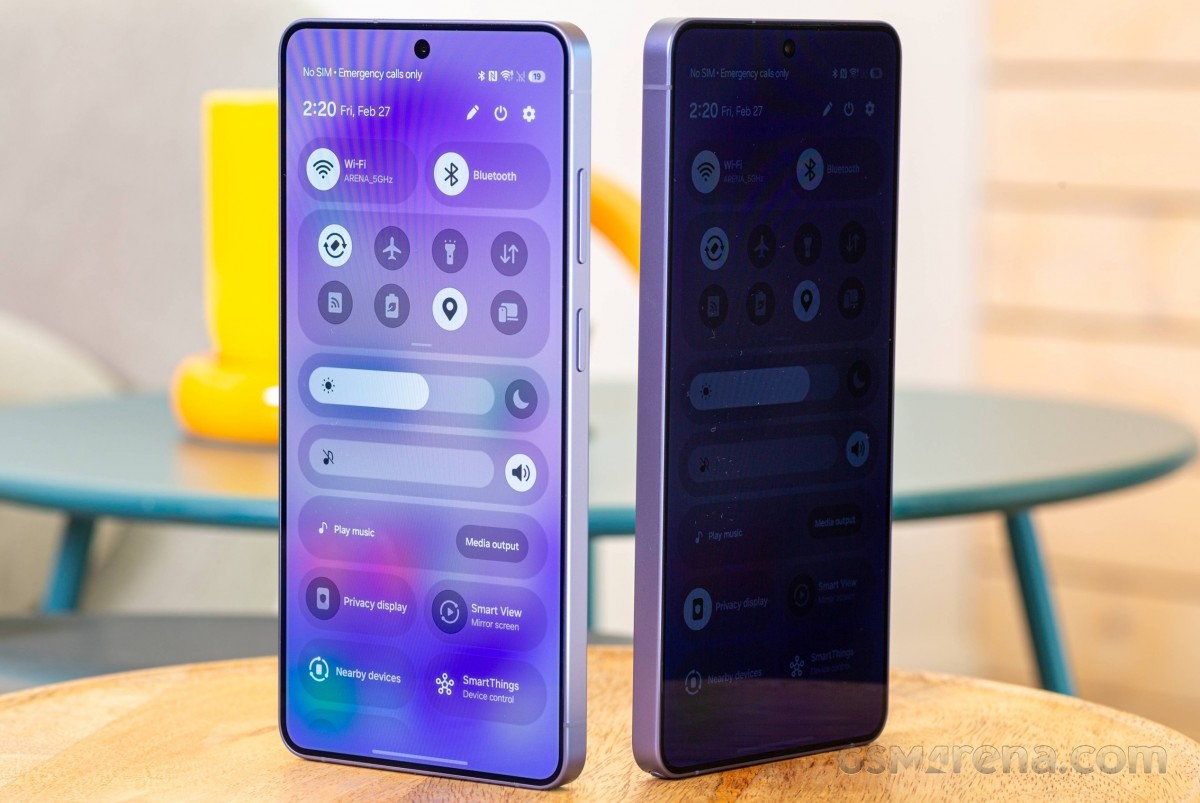
Samsung Galaxy S26 Ultra privacy display tested
The Privacy Display feature can’t affect brightness by default, but things change once you turn it on. We found that with Privacy Display enabled, maximum brightness is halved in all scenarios, which makes sense considering how the technology works.
The way to implement the feature is to apply a hardware filter on half the pixels, which are now divided into two groups – narrow pixels and wide pixels. Narrow pixels emit light straight ahead, while wide pixels, as the name suggests, emit light at a wider angle. From what we understand, Wide pixels are your standard pixels, while Narrow pixels have, for lack of a better term, a tall “wall” around them, making them harder to view at an angle.
Samsung Galaxy S26 Ultra 5G
| 256GB 12GB RAM | ₹ 139,999 |
$1,299.00 |
| 512GB 12GB RAM | ₹ 139,999 |
$1,299.99 |
| Show all prices | ||
So when the Privacy Display toggle is on, the brightness of the Wide Pixel is reduced significantly. Perhaps it is also given off by what we see under the microscope. So it’s no surprise that when half the pixels don’t work, peak brightness is halved. Still, the nearly 800 nits on Samsung’s DX anti-reflective screen provides adequate outdoor visibility even on a bright sunny day.
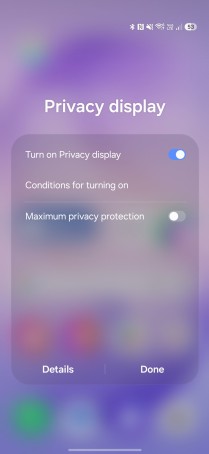
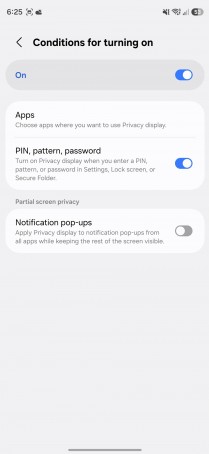
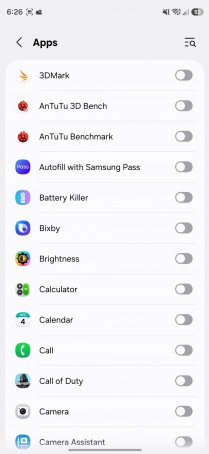
Privacy Display Options
Pixel density also decreases when you turn these pixels off, as shown by the OLED panel photos we took under a digital microscope. You can clearly see that fewer pixels shine when the privacy display is on. We’ve also added a photo of the Galaxy S25 Ultra’s display panel for further reference.
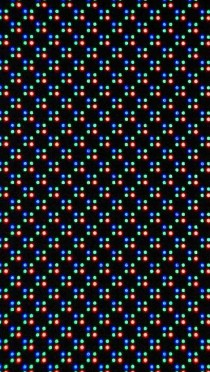
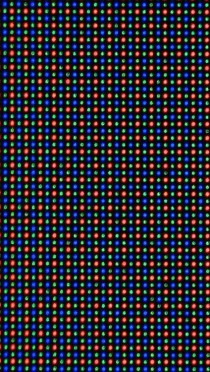
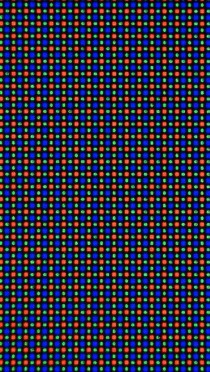
Galaxy S26 Ultra Privacy Display On • Galaxy S26 Ultra Privacy Display Off • Galaxy S25 Ultra
The real magic of the privacy display feature is that it can only work on specific areas, unlike a privacy screen protector, for example. You can turn it on only for incoming notifications, so it will be difficult to see pop-ups from someone standing next to you. The system recognizes the PIN, password, and pattern and activates the privacy display only for those fields. Unfortunately, this feature only works for system apps and the phone’s lock screen. Support for third-party apps is expected in the future.
Talking about third-party apps, you can set the privacy display to turn on only in selected apps. This works with routines too. For example, you can set the privacy display to turn on only when you’re in the office or at a certain time every day.
You also have a Maximum Privacy Display toggle, which also affects contrast and color reproduction. For example, blacks turn gray and contrast falls off the cliff. This makes it harder for anyone to see your screen, but since it affects the viewing experience so much, we wouldn’t say it should be used all the time.
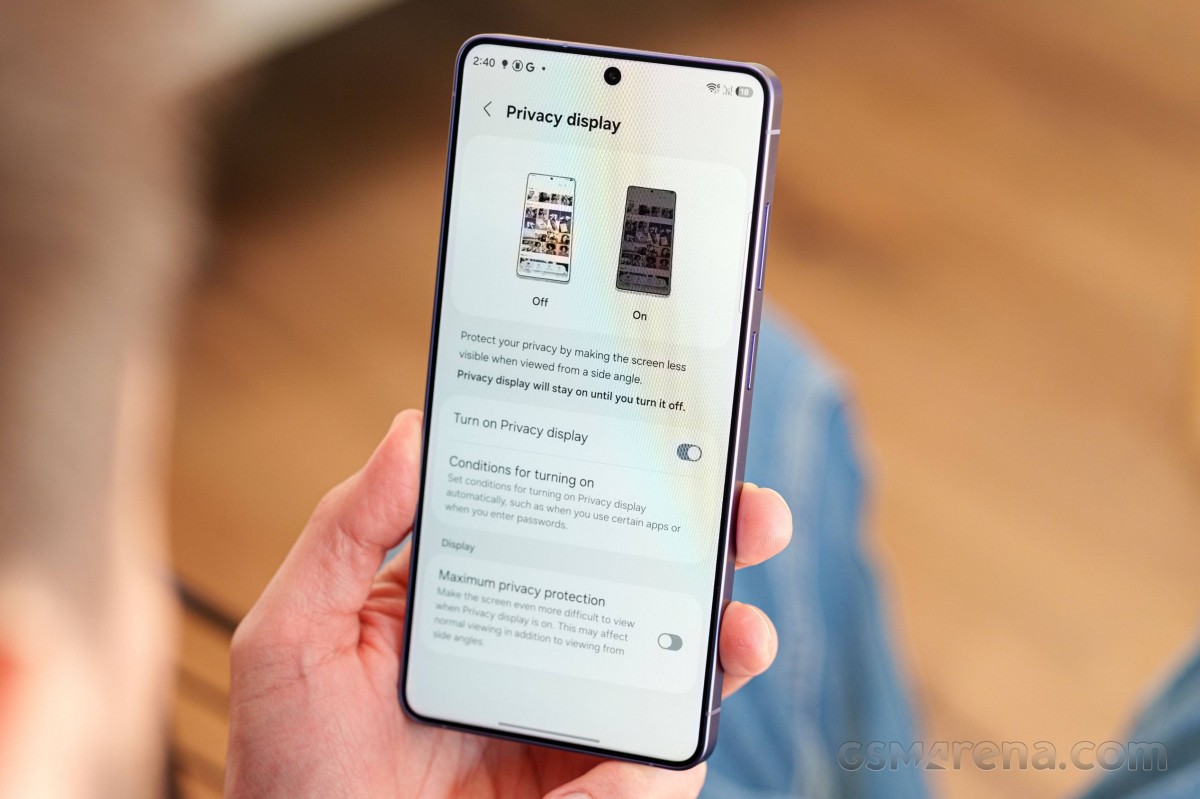
Now, while the functionality seems nice and useful, it’s not “amazing”. In standard privacy mode, you can still roughly see what’s on the screen at an angle. The maximum privacy setting is what makes it truly “private”, although the viewing experience is severely affected.

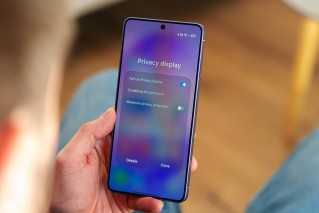
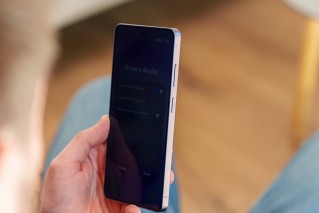
Privacy Display: Straight On • At an Angle
When the feature is completely turned off, the visual experience is not compromised at all, even if we compare the screen with the S25 Ultra. Color reproduction, brightness and viewing angles are all almost identical to the previous generation screen.
We saw initial reports online that there was a difference in perceived sharpness and definition. Still, after carefully comparing the screens of the S26 Ultra and S25 Ultra, we can definitely say that’s not the case – at least when the privacy display is off, which is its default state.
If you’re interested in learning more about the display and other features of the Galaxy S26 Ultra, you can read our in-depth Samsung Galaxy S26 Ultra review, where we talked about the flagship’s performance in all departments.
Samsung Galaxy S26 5G
| 256GB 12GB RAM | ₹ 87,999 |
$882.18 |
| 512GB 12GB RAM | ₹ 87,999 |
$899.99 |
| Show all prices | ||
Samsung Galaxy S26+ 5G
| 256GB 12GB RAM | ₹119,999 |
$1,089.99 |
| 512GB 12GB RAM | ₹119,999 |
$1,099.99 |
| Show all prices | ||