



The OnePlus Nord Buds 3 Pro are the company’s latest true wireless earbuds. If you’re wondering if you missed the non-Pro Nord Buds 3, you didn’t. OnePlus sometimes names things similarly, where the Buds 3 follows a non-existent Buds 2 and the Nord Buds 3 Pro follows the Nord Buds 2. Perhaps a Buds Pro 3 will come at some point, but we’ll cross that complicated bridge when we get there.
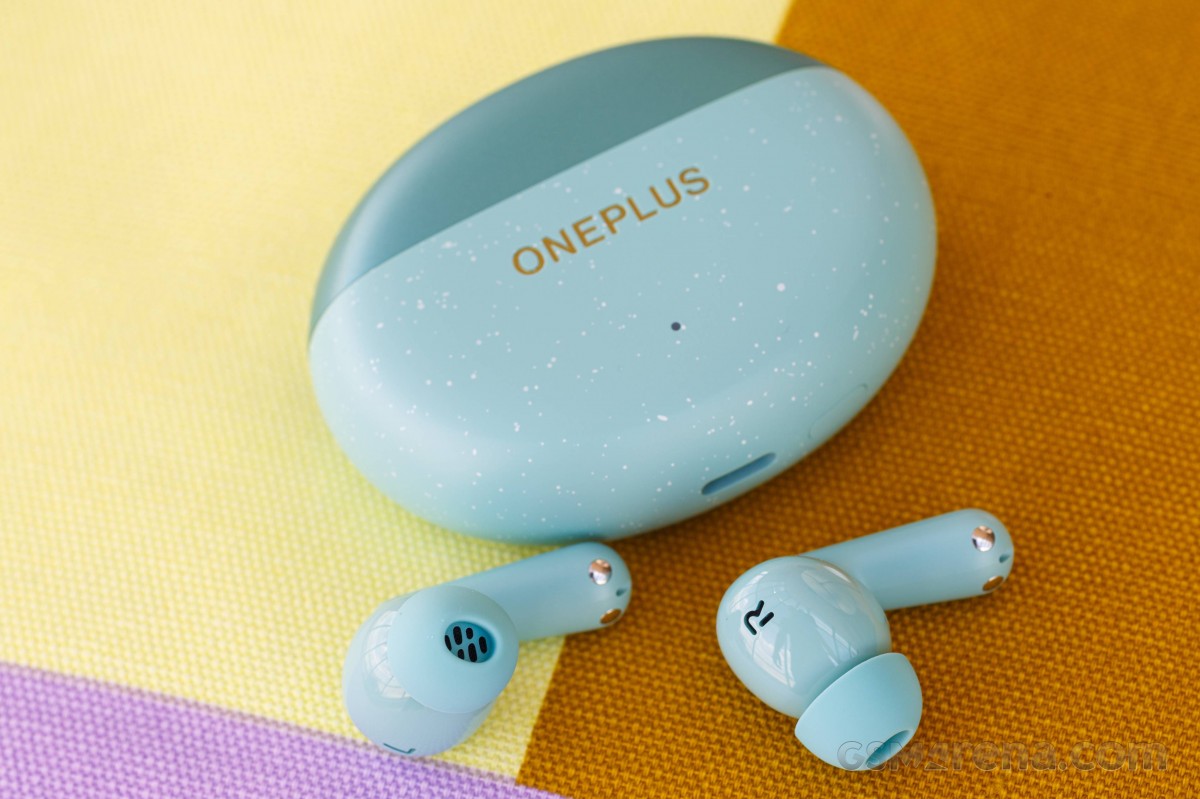
The Nord Buds 3 Pro are the most affordable of the company’s three series of earbuds, denoted by the Nord badging. The Pro name reportedly stands for the quality of the ANC, where the company claims it includes a flagship-level solution that suppresses noise up to 49dB. Other than that, these are a fairly basic set of earbuds with no special features or codec support.
The codec bit is important, as the Nord Buds 3 Pro are, for all intents and purposes, a rebranded version of the Oppo Enco Air 4 Pro with the LHDC support removed. Not licensing the codec allows the company to make the Nord Buds cheaper, because otherwise, both are identical on paper.
At £79 / €79 / $79.99 / ₹3299, the Nord Buds 3 Pro are priced affordably, but we’ll have to see if they’re worth the money.
design
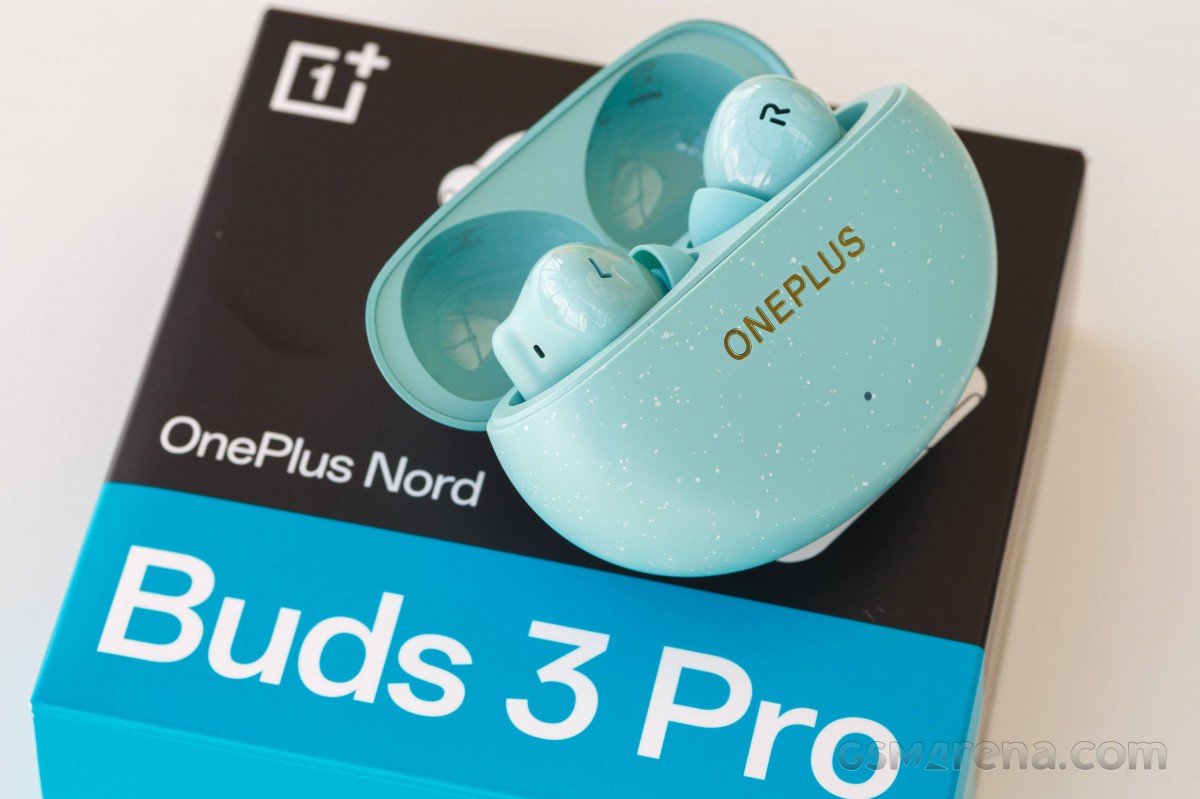
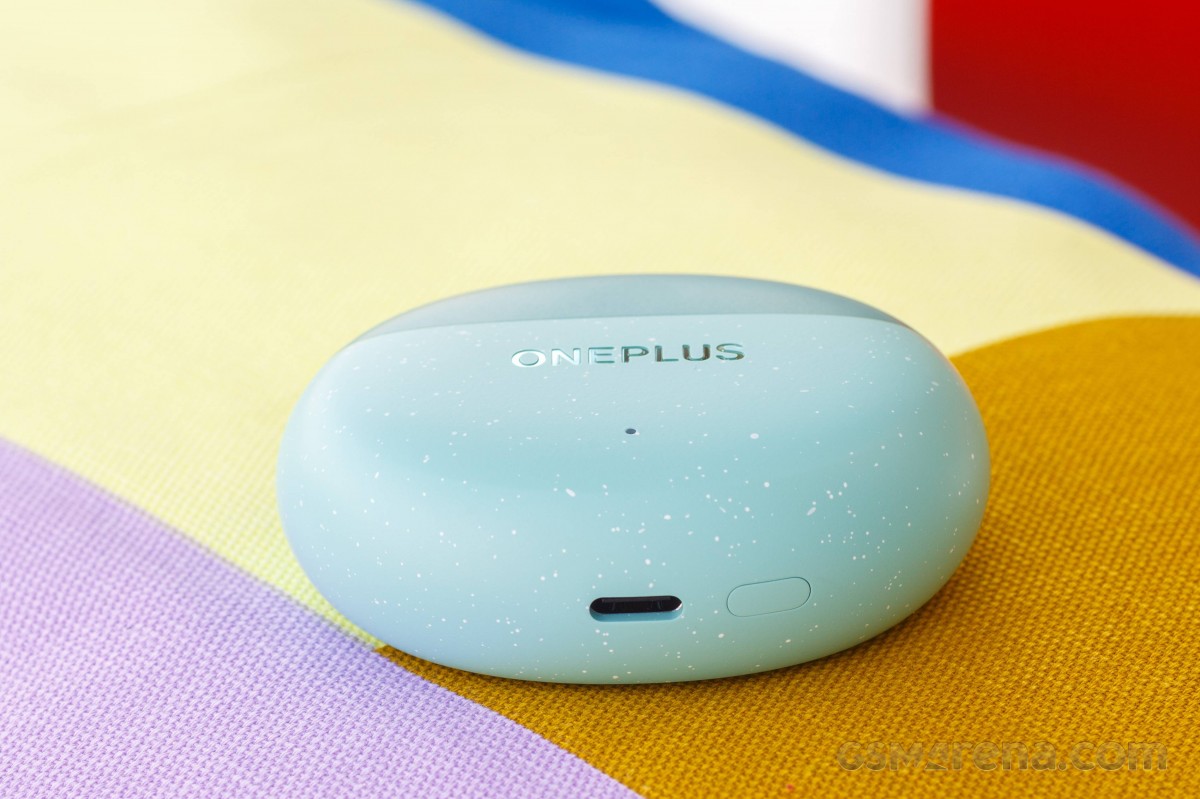
Since the Nord Buds 3 Pro is essentially the Oppo Enco Air 4 Pro, the design is identical down to the last millimetre. You get the same soap-shaped charging case with a two-tone finish and a new colour, Soft Jade. Both have a speckled finish on the bottom half of the case. The bottom of the case has a pairing button and a USB-C connector for charging.
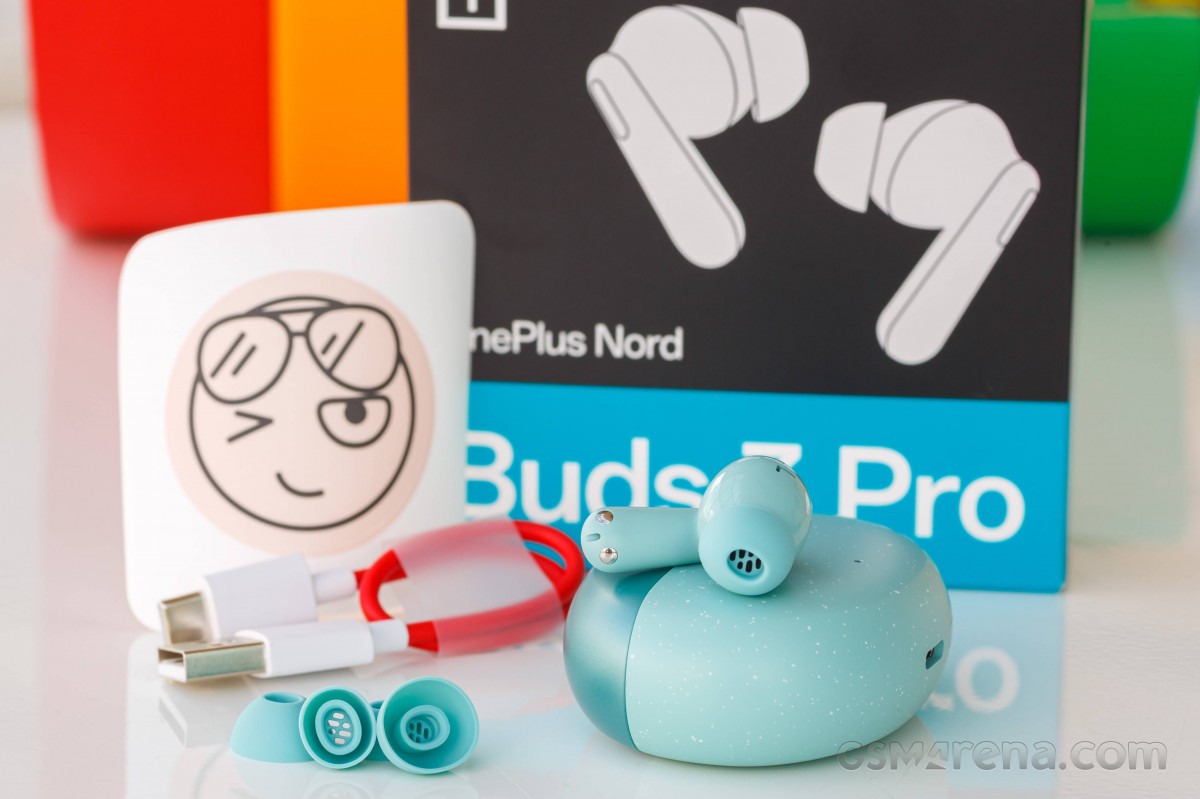
The charging case is well designed with attractive looks and great finish. The build quality is good, although unlike the earbuds, there is no ingress protection on the case.
Talking about the earbuds, they have a standard shape with the stems hanging outside your ears. The stems have an interesting tear-drop shape that widens as you move down. Behind the stems is a touch-sensitive area for touch gestures.

The inside of the earbuds has a capacitive area that activates when it comes into contact with skin and is used to detect wear. The earbuds have L and R markings etched into their casing, making them act as vents for the driver inside. There’s a grill inside to keep things like earwax from falling in. And yes, the earbuds are IP55 dust and water resistant.
The Nord Buds 3 Pro earbuds are very lightweight and compact. The soft silicone ear tips are comfortable on the ears and you can wear them for hours without any discomfort.
Software and Features
The Nord Buds 3 Pro can be paired with Android and iOS devices using the HeyMelody app. Those using a OnePlus smartphone or tablet don’t need the app as all the functionality is built directly into the Bluetooth settings of those devices.
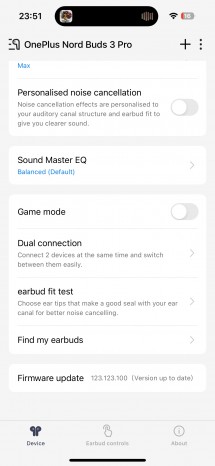
HeyMelody app
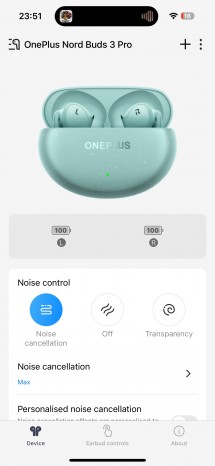
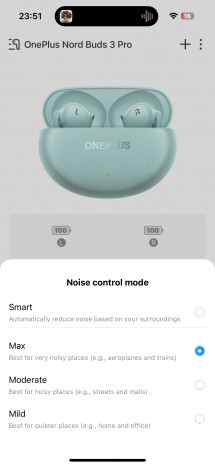
The app allows you to adjust all the features available on the earbuds. You can change your ANC settings, including choosing between three levels of intensity and an automatic smart mode. There’s also a personal noise cancellation feature, which assesses your current ambient noise level and ear shape and creates a custom ANC profile.
You also get an equalizer function with three preset profiles. So-called Balanced is the default, as well as Serenade which emphasizes mid-frequencies and bass. If that wasn’t enough bass, there’s also a Basswave feature, which lets you increase and decrease bass frequencies. Finally, there’s a six-band EQ with the option to create multiple custom presets that are saved on the earbuds and available on any device you pair them to.
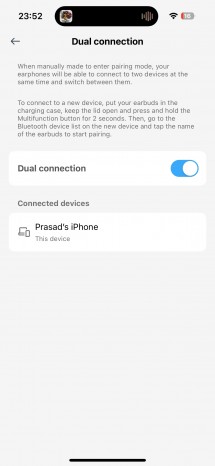
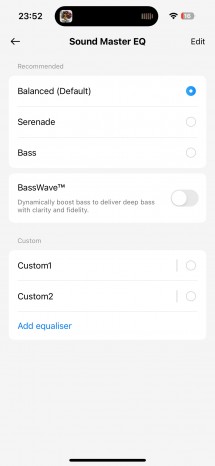
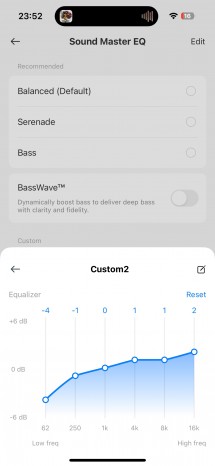
Connections and EQ
You can also customize the touch gestures with options available for double, triple, touch and hold, and long touch and hold. Not all options are available for all gestures and the single tap gesture can only be assigned to play/pause and is disabled by default. The touch gesture area on these earbuds is quite small so it’s hard to hit it accidentally but it works fine when you intend to use it.
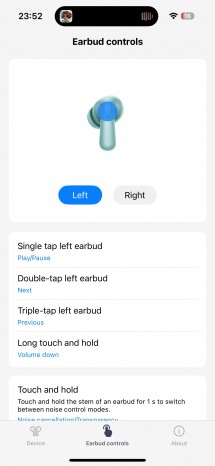
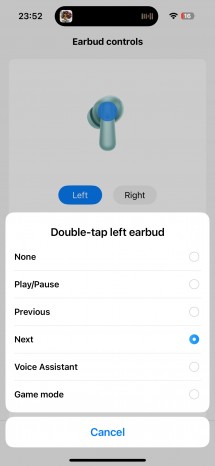
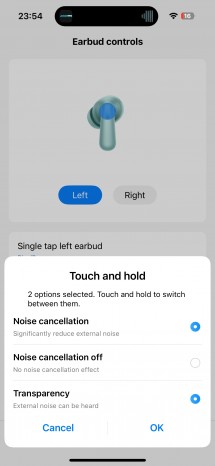
Gesture Control
You can also manage all your paired devices. The Nord Buds 3 Pro supports pairing two devices at a time and can automatically switch depending on the output. Lastly, if you are in the HeyMelody app, there is also a Game Mode option, which claims to reduce latency. On the OnePlus device, there is no manual toggle and the mode is enabled automatically when the device detects a game being launched.
Display
audio quality
The Nord Buds 3 Pro uses the same hardware as the Oppo Enco Air 4 Pro. You get a single 12.4mm dynamic driver and Bluetooth 5.4 connectivity. However, while the Oppo model features SBC, AAC, and LHDC 5.0, the Nord Buds 3 Pro only has SBC and AAC.
The Nord Buds 3 Pro are a mediocre-sounding pair of earbuds. The sound is largely dominated by the wide-band bass boost, which sounds muddy and bloated. The mid-range has a decent presence and timbre, but is often overwhelmed by the bass. There is very little energy in the upper mids and treble regions, which makes the sound unnecessarily dark and veiled.

Overall the sound is simply dark and bassy, depriving your ears of all treble detail. You’re almost forced to use the EQ, which compounds a lot of the problems with the sound. It’s still not particularly resolving, detailed, or spacious sounding, but that’s to be expected from a product in this price range, especially one that lacks a high-resolution codec.
Unfortunately, I have no experience with the Oppo Enco Air4 Pro, so it’s not possible to say if they sound different. As for OnePlus’ own products, the previously launched Buds 3 showed some good taste in terms of tuning, but with the Nord Buds 3 Pro, OnePlus has reverted to its default bloated, bassy sound.
Microphone
The Nord Buds 3 Pro have good microphone performance. The background noise cancellation works really well and it’s hard to hear anything going on in the background of the caller unless it’s very loud.

This does seem to come at a slight cost to voice quality. Despite being perfectly audible, voices are a bit muffled, often caused by aggressive noise reduction. There were also occasional popping artifacts in my recordings, which seems like something that could be fixed with an update. Still, overall voice quality was fine for calls.
noise cancellation
Noise cancellation performance is good on the Nord Buds 3 Pro. ANC takes a second to turn on and then another few seconds to fully calibrate to your surroundings. There is good suppression of low and mid frequencies, with only the high frequencies being filtered out.
The ANC can wobble a bit depending on the ambient noise, and if the noise pattern changes, you can hear it changing its attenuation, even if you have manually set it to maximum mode. As I sit here typing this, I can hear the ANC working its algorithm to specifically reduce keyboard noise, and then change back when typing stops. Some people may not like this fluctuation as it is noticeable when nothing is playing. However, if you have audio playing through your speakers, you won’t notice anything.

ANC also performs well in windy environments. ANC gradually reduces its effectiveness in strong winds to reduce the buffeting effect, but even before it does so, the buffeting is minimal.
Transparency mode also sounds pretty good on these earbuds. We’re not yet at the point where enabling Transparency feels the same as removing the earbuds, with a natural tone for surrounding noise that sounds real and doesn’t sound like something has been captured and played back. However, some people may prefer the louder Transparency modes of other earbuds that artificially boost certain tones, such as voices, which you won’t find here. The earbuds don’t automatically enable Transparency when on calls or using the microphone in general so you can hear yourself better.
Delay
The Nord Buds 3 Pro have good latency performance when paired with a smartphone. By default, latency performance is not great as there is a notable delay in apps that can play audio but are not video players (video players are automatically synced to hide the delay).

However, enabling Game Mode in the HeyMelody app or launching a game on a OnePlus device reduces latency significantly, making it much harder to notice the delay. It’s not completely gone, but most people either won’t notice it or won’t be bothered by it.
The downside to this is that when pairing with a PC you are left with the default latency as there is no app to enable game mode. So the latency was quite high when used with a computer. You also don’t get the benefit of audio sync with the video player on a PC, so the videos also seem a bit out of sync.
Connectivity
The connectivity of the Nord Buds 3 Pro was reliable during testing. There were no incidents of connection drops or audio packets being dropped during testing.
battery life
The Nord Buds 3 Pro has a claimed battery life of 5.5 hours when using ANC and 12 hours without ANC. The company also claims 11 hours of battery life without ANC after a 10-minute charge.
It wasn’t possible to test battery life with ANC on these earbuds, as they require skin contact to detect wear (as opposed to the optical sensors on some other models) and thus couldn’t be put through the usual battery life test cycle.
When testing with ANC turned off, I managed to get 12.5 hours of battery life, which is slightly more than the claimed figure. However, no matter how many times I tested it, I was unable to get more than 4.5 hours when testing after a 10-minute charge. The 11-hour figure seems a bit far-fetched and perhaps OnePlus needs to run those numbers again to find out if they are accurate.
conclusion
The OnePlus Nord Buds 3 Pro are affordable earbuds and for this price, you get a comfortable design, impressive noise cancellation, and good battery life. Unfortunately, you have to compromise on the audio quality, which seems like too much of a compromise for an audio product.
Pros
- attractive, comfortable design
- Good noise cancellation
- Good battery life
Shortcoming
- Poor audio quality
- Only SBC and AAC supported
- High latency without game mode