



Apple releases iOS 26.2 update, here’s how it will change your iPhone: Everything you need to know in 5 points
Apple has unexpectedly released iOS 26.2 with many new features and improvements. This update enhances the user experience with security alerts, music upgrades, and gaming enhancements.
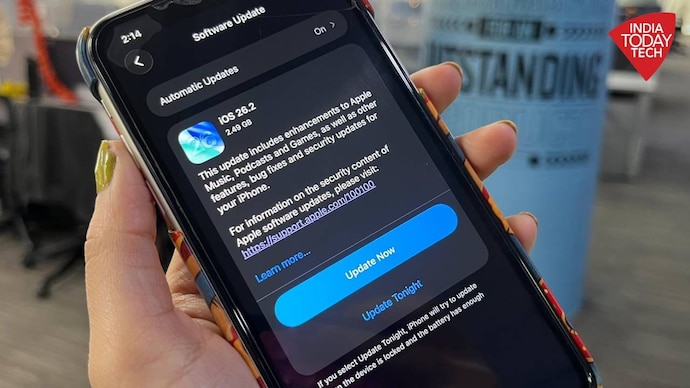

Christmas came early for iPhone users. Apple has officially released iOS 26.2, arriving earlier than expected and bringing one of the most feature-packed mid-cycle updates in recent years. After weeks of whispers about a delay, the update was released on Friday, an unusual move for Apple that surprised many developers and beta testers. From redesigned lock screen effects and security alerts to smart Apple Music and gaming upgrades, iOS 26.2 isn’t just about polish, it’s about giving your iPhone a livelier, more personalized experience. Here’s everything that’s new, but first, how to install the new version?
How to Install iOS 26.2
The update is available for all iPhones released since 2019, including the iPhone 11 series and newer, as well as the second and third generation iPhone SE. Naturally, the latest iPhone 17 lineup is fully supported.
Installing the update is simple: Go to Settings General Software Update, tap Download and Install, and your iPhone will do the rest. Apple recommends connecting to Wi-Fi and making sure your battery is charged before starting.
The update is now available globally, so if you have an eligible device, you can upgrade immediately.
Apple Music and Podcasts get smarter
Music lovers will see some small but thoughtful changes. favorite songs playlist Music now sits prominently in Top Picks on the app’s Home tab, so you can quickly jump to your most favorite tracks. Apple has also introduced offline songs, which let you follow along even without an internet connection, which is a great addition for travelers and gym goers.
podcast app Also gets a tune-up. It now includes automatically generated chapters for longer episodes, allowing listeners to more easily jump to specific sections. Apple has also added linked recommendations, so when a host mentions another show, users can tap directly instead of searching manually.
Both changes make Apple’s audio ecosystem feel a bit more intuitive and more like Spotify’s most popular features.
Lock screen customization and new security alerts
Apple has given the lock screen a subtle but cool new trick, called liquid glass sliderUsers can now alter the opacity of the Liquid Glass effect, giving a smoother or bolder look, changing the way the time appears on their wallpaper, It’s a small addition, but adds an extra layer of personalization,
However, the big update is Advanced Security AlertsThis new system-level feature can notify users about severe weather events, natural disasters or emergencies in real time, The alert includes interactive maps showing affected areas and links to official resources for help, The rollout has begun in the United States, with more countries expected to roll out soon,
Gaming and performance upgrades
Gamers have not been left out. game library Now supports advanced filters, allowing players to sort titles by category, file size or other parameters. Apple has also improved real-time challenge score banners, so you can immediately see when a friend beats your record.

Controller support has also been expanded, ensuring better performance for Backbone and Razer models. Whether you’re interested in casual puzzles or competitive racing, gaming on the iPhone has just gotten more sophisticated. Elsewhere, system responsiveness feels snappy, and minor under-the-hood optimizations should help apps load faster and run more efficiently.
Productivity and sleep tracking upgrades
On the productivity side, reminder Now get better sync with your schedule thanks to alarm integration. You can set reminders to trigger alerts at specific times, with snooze options and live activity tracking right on the lock screen.
AirDrop has also received an important privacy feature: airdrop codeWhen sharing with unfamiliar devices, the receiver generates a one-time code that the sender must enter before the transfer can begin, You can also manage who lives in your sharing list through a new Manage Known Contacts section; Everyone you’re connected to will be discoverable for 30 days,
Finally, Apple has more closely aligned iOS 26.2 with watchOS 26.2 through new sleep score systemApple Watch users can now track rest quality across three metrics: duration (50 points), bedtime consistency (30 points), and interruptions (20 points), The total score out of 100 gives a clear snapshot of how well you’re sleeping, and what might be troubling you,
After more than a month of beta testing, iOS 26.2 offers a mix of convenience, security, and personalization. With features like Live Translation finally arriving in Europe, offline songs, and emergency alerts, this release feels like a way to cap off Apple’s year on a high note — and a reminder that even a mid-cycle update can make your iPhone feel brand new again.