



iOS 26.3 lets iPhones forward alerts to other devices, makes switching to Android easier
iOS 26.3 quietly lowers Apple’s ecosystem barriers by making it easier to switch from iPhone to Android and allowing information to reach third-party devices under new EU rules.
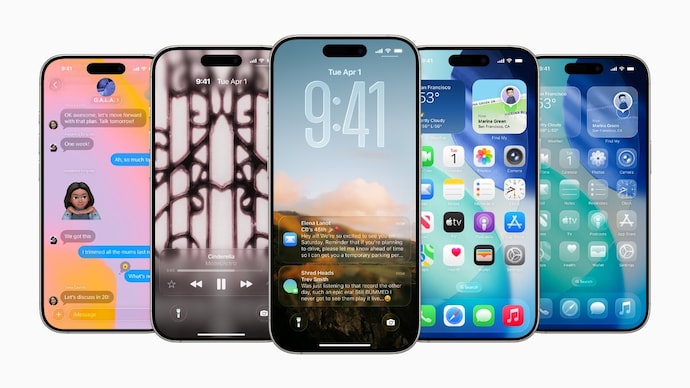

Apple’s iOS 26.3 update introduces changes that directly impact how iPhone users interact with other platforms and devices. The update adds a built-in tool to transfer data from iPhone to Android phone and also enables notification forwarding to third-party devices in select regions. Both features are closely tied to regulatory requirements, but they also change how the Apple ecosystem feels to users.
Built-in tools make it easy to switch from iPhone to Android
With iOS 26.3, Apple has added a native option that allows users to transfer data from iPhone to Android smartphone without installing any additional apps. The process starts by placing both phones next to each other, after which users can choose what information they want to transfer. This facility is available to all people.
What data can be transferred
-Photos and Videos
-Messages and Notes
-Apps and passwords
-Phone number and basic account data
-Apple says the goal is to reduce friction for users who plan to move away from iOS.
What doesn’t work during transfer
While the tool supports most everyday data, some information is intentionally left out of the process.
-Data that will not be transferred
-Health data
-Bluetooth-paired devices
-Protected items like closed notes
This means that users who switch platforms may still need to manually set up some services on their new Android phone.
How the transfer process works
To use the new transfer feature, both iPhone and Android devices must meet specific requirements.
Main requirements:
-The latest software is installed on both devices
-Active Wi-Fi connection
-Bluetooth enabled
Users can initiate the transfer by scanning the QR code shown on the Android device or by using the session ID and pairing code. Apple says this flexibility helps make the feature work across different Android brands.
Not just Apple’s move, Google already does this
Google already offers a similar data transfer system for users moving from Android to iPhone. With iOS 26.3, the switching process now works both ways, making it easier for users to move between platforms without losing important data. According to the European Commission, Apple and Google jointly developed this system to comply with the EU Digital Markets Act. Despite this, the feature is not limited to Europe and is available worldwide in iOS 26.3 beta. Users can find this by going to Settings > General > iPhone Transfer or Reset > Transfer to Android.
iOS 26.3 adds notification forwarding for third-party devices
Another major addition in iOS 26.3 is the new “Notification Forwarding” setting. This allows iPhone notifications to be forwarded to third-party devices such as non-Apple smartwatches. The option is located under the Notifications section in the Settings app.
How does notification forwarding work?
Apple has placed some limitations on how this feature works.
-Notifications can only be forwarded to one device at a time
-If enabled for a third-party wearable, Apple Watch will stop receiving notifications
-Users can choose notifications from selected apps instead of all apps
-Forwarded alerts include the app name and full notification content
Due to regulations this feature is limited to Europe
Although the notification forwarding option appears on iPhones running iOS 26.3 worldwide, it currently only works for EU users. Apple says the feature was added to meet the requirements of the Digital Markets Act, which forces the company to give third-party devices access to iPhone information – previously limited to the Apple Watch.
Apple has clarified that this limitation is intentional and related to regulatory obligations, not a technical issue.